WordPress Ad Banner

Agentic AI: The Next Evolution of Artificial Intelligence in 2026

Agentic AI is a new generation of artificial intelligence that doesn’t just answer questions — it acts on them. Instead of just generating text or images like traditional AI, agentic systems can set goals, plan multiple steps, make decisions, and execute tasks autonomously — meaning they can do the work for you across tools and apps.

Instead of waiting for constant instructions, agentic AI can:

  • Interpret complex goals
  • Plan multi-step workflows
  • Use tools, APIs, and applications
  • Monitor outcomes and adapt strategies
  • Learn from previous actions

In simple terms, agentic AI doesn’t just answer — it takes action.

This makes it fundamentally different from traditional generative AI, which mainly focuses on producing text, images, or code based on user prompts.

Why Agentic AI Matters Right Now

The rise of agentic AI marks a turning point in the role of artificial intelligence. Instead of acting as a support tool, AI is becoming a digital worker capable of executing real-world tasks.

This shift is important because:

  • Businesses want automation that truly saves time, not just suggestions.
  • Teams need intelligent systems that can manage workflows, not just generate ideas.
  • Industries demand decision-making support, not just data analysis.

Agentic AI brings all of these capabilities together, creating a new class of intelligent systems that operate with purpose and autonomy.

What’s New in Agentic AI in 2026

The year 2026 is being seen as a breakthrough phase for agentic AI. Several major innovations are driving its rapid adoption.

1. True Autonomy and Goal-Based Execution

Modern agentic systems can accept high-level objectives and independently figure out how to accomplish them.

For example:

“Analyze our customer data, identify churn risks, generate insights, and prepare a report.”

An agentic AI system can perform each of these steps without continuous supervision — planning, executing, evaluating, and adjusting automatically.

2. Deep Integration with Real Systems

Agentic AI is no longer limited to simulations or experimental environments. It now integrates directly with:

  • Business applications
  • Cloud platforms
  • Databases
  • Workflow management systems
  • CRM and ERP tools

This allows AI agents to interact with live systems, making them capable of handling real operational tasks.

3. Long-Term Memory and Adaptive Learning

New agentic models are capable of:

  • Retaining context across long sessions
  • Learning from past outcomes
  • Improving decision-making over time

This enables them to function more like persistent digital employees, rather than short-term assistants.

4. Multi-Agent Collaboration

One of the most powerful innovations is multi-agent collaboration, where multiple specialized AI agents work together.

For example:

  • One agent researches data
  • Another analyzes insights
  • A third prepares reports
  • A fourth manages scheduling

Together, they form an AI workforce, capable of solving complex business problems faster and more efficiently.

Real-World Applications of Agentic AI

It is already transforming multiple industries.

Business Operations

  • Automated financial reporting
  • Invoice processing
  • HR onboarding workflows
  • Compliance monitoring

Software Development

  • Code generation and debugging
  • Automated testing
  • Deployment coordination
  • Infrastructure monitoring

Data & Analytics

  • Autonomous data analysis
  • Predictive modeling
  • Decision-driven automation

Customer Experience

  • Smart support agents
  • Workflow-based ticket resolution
  • Personalized service automation

These use cases highlight how agentic AI is becoming an execution engine, not just a recommendation tool.

Challenges and Responsible Use

Despite its power, agentic AI comes with serious challenges:

  • Control & Governance: Autonomous actions must be monitored.
  • Trust & Reliability: Errors can cause real-world impact.
  • Security Risks: Improper access can lead to misuse.
  • Ethical Concerns: Decision transparency and accountability are critical.

This is why most organizations are adopting human-in-the-loop systems, where humans oversee and validate critical AI actions.

The Future of Agentic AI

Looking ahead, agentic AI is expected to become:

  • A standard part of enterprise software
  • A core productivity layer for businesses
  • A foundation for autonomous digital ecosystems

In the coming years, we may see AI agents acting as managers, planners, coordinators, and executors — transforming how work itself is structured.

Agentic AI represents a powerful evolution of artificial intelligence — moving from response-based systems to action-driven intelligence. It opens the door to smarter automation, faster execution, and scalable digital operations.

The real question is not if agentic AI will shape the future — but how fast it will become part of everyday work.
AI Chatbots in Real Life: How People Use Them, Which One Is Most Popular, and What Developers Prefer

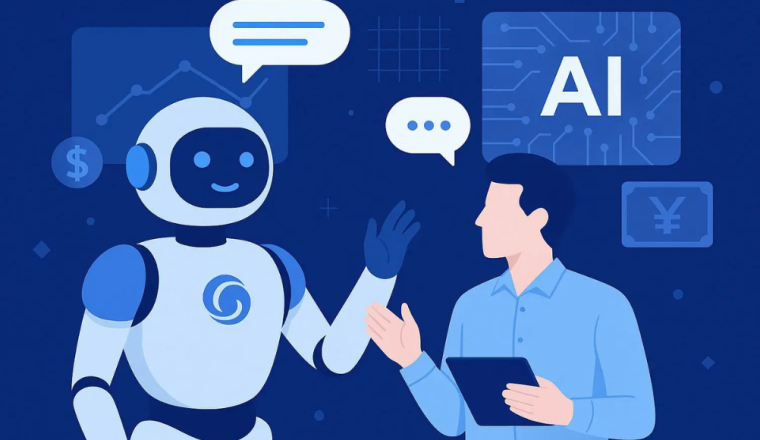
Artificial Intelligence is no longer just a futuristic concept AI Chatbots in Real Life, it is a powerful reality shaping how we learn, work, and communicate. AI chatbots have rapidly become everyday digital companions for students, developers, writers, marketers, and businesses.

From writing content and generating code to solving complex problems and providing instant customer support, AI chatbots are redefining productivity. But the real questions are:

How are people actually using AI chatbots? Which chatbot is the most popular? Which AI tools do developers prefer — and why?

In this blog post, we explore real-world usage trends, popular platforms, developer preferences, and the pros and cons of AI chatbots.

How People Are Using AI Chatbots Today

AI chatbots are no longer limited to simple question-answer interactions. Today, they serve as intelligent productivity assistants across multiple domains.

Common Use Cases

📚 Students

  • Homework and assignment assistance
  • Concept explanation
  • Study notes creation
  • Programming practice
  • Exam preparation

👨‍💻 Developers

  • Code generation
  • Debugging and error fixing
  • Logic building
  • Framework guidance
  • API integration
  • Documentation writing

✍️ Content Creators & Marketers

  • Blog writing
  • SEO content generation
  • Social media captions
  • Video scripts
  • Ad copywriting

🏢 Businesses

  • Customer support automation
  • Email drafting
  • Business reports
  • Proposal writing
  • Data analysis

Most Popular AI Chatbots in 2026

Several AI chatbots dominate the global market, but a few clearly stand out.

Top AI Chatbots

  1. ChatGPT (OpenAI)
    • Most widely used AI chatbot
    • Excellent for coding, writing, reasoning, and productivity
    • User-friendly interface
    • Highly reliable responses
  2. Google Gemini (formerly Bard)
    • Fast processing
    • Strong integration with Google services
    • Real-time web connectivity
  3. Microsoft Copilot
    • Designed for developers
    • Seamless integration with Visual Studio and GitHub
    • Enterprise-grade productivity
  4. Claude AI (Anthropic)
    • Excellent for long-form content
    • Strong reasoning abilities
    • Safe AI approach

Which AI Chatbot Do Developers Prefer?

Developers prioritize accuracy, logic clarity, and efficient problem-solving. Based on global usage trends:

Developer Favorites

  • ChatGPT
  • GitHub Copilot
  • Claude AI

Pros and Cons of AI Chatbots

Advantages

  • Saves time and effort
  • Enhances learning
  • Boosts productivity
  • 24/7 availability
  • Multi-task support
  • Cost-effective solutions

Disadvantages

  • Sometimes generates incorrect information
  • Risk of dependency
  • Reduced critical thinking
  • Data privacy concerns
  • Limited emotional intelligence

WordPress Launches New Claude Connector: Smarter AI-Powered Site Management Is Here

WordPress has officially launched a brand-new Claude Connector, allowing website owners to seamlessly connect their WordPress sites with Claude AI by Anthropic. This powerful integration enables users to query, analyze, and understand their site data directly through an AI assistant — transforming how people manage content, performance, and engagement.

By enabling this connector, WordPress is making it easier than ever to monitor analytics, manage comments, and gain insights — all using natural language commands. This move marks a major leap toward AI-driven website management and automation.

What Is the Claude Connector for WordPress?

The Claude Connector is a new integration that links WordPress.com websites directly with Claude AI, allowing site owners to securely share backend data with the chatbot.

Key Features:

  • Secure connection using WordPress’s Model Context Protocol (MCP)
  • Read-only access to website data
  • User-controlled data permissions
  • Ability to revoke access anytime

This ensures complete privacy, transparency, and control while still unlocking the power of AI-based analysis and automation.

How Does the WordPress + Claude Integration Work?

Once connected, Claude can securely access selected website data and provide instant insights using conversational commands.

What You Can Ask Claude:

  • “Show me my site’s monthly traffic summary.”
  • “Which blog posts have the highest engagement?”
  • “Which articles have low user interaction?”
  • “Show pending comments on my site.”
  • “Which plugins are currently installed?”

This means site owners no longer need to manually navigate dashboards or analytics panels — Claude delivers instant answers in seconds.

Why This Matters: A New Era of AI Website Management

This integration represents a major shift toward AI-assisted digital operations.

Key Benefits for Site Owners:

  • Faster decision-making
  • Improved content optimization
  • Simplified site monitoring
  • Reduced manual workload
  • Enhanced productivity

By blending AI intelligence with WordPress infrastructure, site owners can now gain deep insights without technical complexity.

OpenAI’s Big Move: Codex Comes to macOS

Artificial intelligence is no longer just helping developers write code — it’s reshaping the entire software development process. What once required hours of manual effort is now increasingly handled by swarms of AI agents and sub-agents working behind the scenes. As developers explore new ways to collaborate with AI, even the most advanced AI labs are finding it difficult to keep pace with how fast things are moving. One of the biggest shifts right now is toward agentic software development. In this approach, AI agents don’t just assist — they work independently on coding tasks, making decisions and executing work with minimal human input.

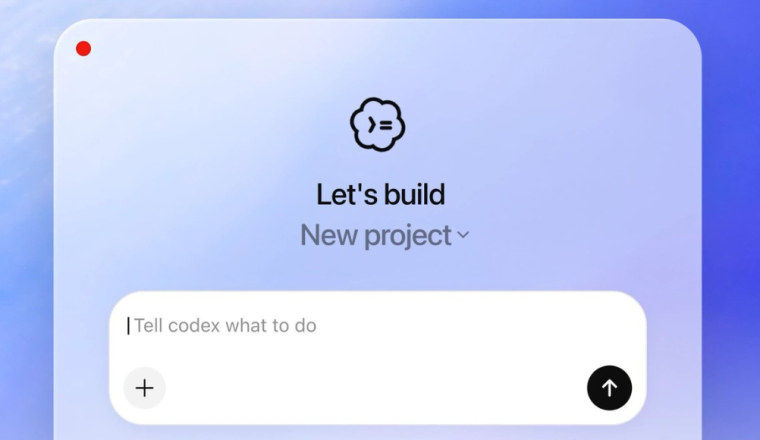
OpenAI is now taking a significant step forward. On Monday, the company launched a new macOS app for Codex, designed to fully embrace modern agentic workflows.

The new app supports:

  • Multiple AI agents working in parallel
  • Advanced agent skills and shared state
  • Modern, flexible workflows inspired by the last year of experimentation in AI coding tools

This release follows closely on the heels of GPT-5.2-Codex, OpenAI’s most powerful coding model to date, launched less than two months ago. The company clearly hopes this combination of power and usability will persuade developers currently using Claude Code to switch.

“If you really want to do sophisticated work on something complex, 5.2 is the strongest model by far,”
— Sam Altman, CEO of OpenAI

Altman also acknowledged that raw capability isn’t enough — usability matters. The new macOS app aims to make that power easier and more flexible to access.

New Features Designed for Real Developers

Beyond raw performance, the Codex macOS app introduces features aimed at matching — or even surpassing — competing tools:

  • Background automations that run on a schedule
  • A review queue for completed tasks
  • Customizable agent personalities, ranging from pragmatic to empathetic, to suit different working styles

These features are designed to reduce context switching and help developers stay focused on higher-level thinking.

For OpenAI, the biggest advantage isn’t just intelligence — it’s speed.

“You can use this from a clean sheet of paper to build something genuinely sophisticated in just a few hours,” Altman explained.
“As fast as I can type new ideas, that’s the limit of what can get built.”

This vision captures where software development is heading: a future where human creativity sets the pace, and AI handles the heavy lifting.

What do you think — will fully agentic coding tools replace traditional development workflows, or will human-AI collaboration always need a strong human hand at the center?

Nvidia Unveils New RTX Technology to Power AI Assistants and Digital Humans

Nvidia is once again pushing the boundaries of technology with its latest RTX advancements, designed to supercharge AI assistants and digital humans. These innovations are now integrated into the newest GeForce RTX AI laptops, setting a new standard for performance and capability.

Introducing Project G-Assist

At the forefront of Nvidia’s new technology is Project G-Assist, an RTX-powered AI assistant demo that provides context-aware assistance for PC games and applications. This innovative technology was showcased with ARK: Survival Ascended by Studio Wildcard, illustrating its potential to transform gaming and app experiences.

Nvidia NIM and the ACE Digital Human Platform

Nvidia also launched its first PC-based Nvidia NIM (Nvidia Inference Microservices) for the Nvidia ACE digital human platform. These announcements were made during CEO Jensen Huang’s keynote at the Computex trade show in Taiwan. Nvidia NIM enables developers to reduce deployment times from weeks to minutes, supporting natural language understanding, speech synthesis, and facial animation.

The Nvidia RTX AI Toolkit

These advancements are supported by the Nvidia RTX AI Toolkit, a comprehensive suite of tools and SDKs designed to help developers optimize and deploy large generative AI models on Windows PCs. This toolkit is part of Nvidia’s broader initiative to integrate AI across various platforms, from data centers to edge devices and home applications.

New RTX AI Laptops

Nvidia also unveiled new RTX AI laptops from ASUS and MSI, featuring up to GeForce RTX 4070 GPUs and energy-efficient systems-on-a-chip with Windows 11 AI PC capabilities. These laptops promise enhanced performance for both gaming and productivity applications.

Advancing AI-Powered Experiences

According to Jason Paul, Vice President of Consumer AI at Nvidia, the introduction of RTX Tensor Core GPUs and DLSS technology in 2018 marked the beginning of AI PCs. With Project G-Assist and Nvidia ACE, Nvidia is now pushing the boundaries of AI-powered experiences for over 100 million RTX AI PC users.

Project G-Assist in Action

AI assistants like Project G-Assist are set to revolutionize gaming and creative workflows. By leveraging generative AI, Project G-Assist provides real-time, context-aware assistance. For instance, in ARK: Survival Ascended, it can help players by answering questions about creatures, items, lore, objectives, and more. It can also optimize gaming performance by adjusting graphics settings and reducing power consumption while maintaining performance targets.

Nvidia ACE NIM: Powering Digital Humans

The Nvidia ACE technology for digital humans is now available for RTX AI PCs and workstations, significantly reducing deployment times and enhancing capabilities like natural language understanding and facial animation. At Computex, the Covert Protocol tech demo, developed in collaboration with Inworld AI, showcased Nvidia ACE NIM running locally on devices.

Collaboration with Microsoft: Windows Copilot Runtime

Nvidia and Microsoft are working together to enable new generative AI capabilities for Windows apps. This collaboration will allow developers to access GPU-accelerated small language models (SLMs) that enable retrieval-augmented generation (RAG) capabilities. These models can perform tasks such as content summarization, content generation, and task automation, all running efficiently on Nvidia RTX GPUs.

The RTX AI Toolkit: Faster and More Efficient Models

The Nvidia RTX AI Toolkit offers tools and SDKs for customizing, optimizing, and deploying AI models on RTX AI PCs. This includes the use of QLoRa tools for model customization and Nvidia TensorRT for model optimization, resulting in faster performance and reduced RAM usage. The Nvidia AI Inference Manager (AIM) SDK simplifies AI integration for PC applications, supporting various inference backends and processors.

AI Integration in Creative Applications

Nvidia’s AI acceleration is being integrated into popular creative apps from companies like Adobe, Blackmagic Design, and Topaz. For example, Adobe’s Creative Cloud tools are leveraging Nvidia TensorRT to enhance AI-powered capabilities, delivering unprecedented performance for creators and developers.

RTX Remix: Enhancing Classic Games

Nvidia RTX Remix is a platform for remastering classic DirectX 8 and 9 games with full ray tracing and DLSS 3.5. Since its launch, it has been used by thousands of modders to create stunning game remasters. Nvidia continues to expand RTX Remix’s capabilities, making it open source and integrating it with popular tools like Blender and Hammer.

AI for Video and Content Creation

Nvidia RTX Video, an AI-powered super-resolution feature, is now available as an SDK for developers, allowing them to integrate AI for upscaling, sharpening, and HDR conversion into their applications. This technology will soon be available in video editing software like DaVinci Resolve and Wondershare Filmora, enabling video editors to enhance video quality significantly.

Conclusion

Nvidia’s latest advancements in RTX technology are set to revolutionize AI assistants, digital humans, and content creation. By providing powerful tools and capabilities, Nvidia continues to push the boundaries of what AI can achieve, enhancing user experiences across gaming, creative applications, and beyond.

Stay updated with the latest in AI and RTX technology by subscribing to our blog and sharing this post on social media. Join the conversation and explore the future of AI with Nvidia!

What is Artificial Intelligence?

Artificial Intelligence (AI) has become a buzzword in recent years, but what does it really mean? This blog post will delve into the basics of AI, how it works, what it can and can’t do, potential pitfalls, and some of the most intriguing aspects of this technology.

Introduction to Artificial Intelligence (AI)

Artificial Intelligence, commonly referred to as AI, is the simulation of human intelligence in machines. These machines are programmed to think and learn like humans, capable of performing tasks that typically require human intelligence such as visual perception, speech recognition, decision-making, and language translation. AI can be found in various applications today, from self-driving cars to voice-activated assistants like Siri and Alexa.

The Inner Workings of AI and Its Comparison to a Hidden Octopus

AI systems work by using algorithms and large datasets to recognize patterns, make decisions, and improve over time. These systems are typically powered by machine learning, a subset of AI that enables machines to learn from experience. Here’s a simplified breakdown of how AI works: Data is collected from various sources, then processed to be clean and usable. Algorithms are applied to this data to identify patterns and make predictions. The AI system is trained using a training dataset, improving its accuracy over time through learning. Finally, the trained AI system is deployed and continues to learn and improve based on feedback.

Think of AI as a secret octopus with many tentacles, each representing a different capability. Just as an octopus uses its tentacles to explore and interact with its environment, AI uses its various functions (like vision, speech, and decision-making) to understand and influence the world around it. The “secret” part comes from the fact that, much like an octopus’s intricate movements can be hard to decipher, the inner workings of AI algorithms can be complex and opaque, often functioning in ways that are not immediately understandable to humans.

What AI Can (and Can’t) Do

AI can analyze vast amounts of data quickly and accurately, recognize patterns, and make predictions based on this data. It can automate repetitive tasks, improving efficiency and reducing errors. Through natural language processing (NLP), AI can understand and generate human language, enabling applications like chatbots and language translators. AI can also identify objects in images and understand spoken language, powering technologies like facial recognition and virtual assistants. However, AI lacks the ability to understand context in the way humans do and cannot genuinely understand or replicate human emotions. While AI can generate content, it does not possess true creativity or original thought. Additionally, AI cannot make ethical decisions as it does not understand morality.

How AI Can Go Wrong

AI systems are not infallible and can go wrong in several ways. AI can perpetuate and amplify biases present in training data, leading to unfair or discriminatory outcomes. Incorrect data or flawed algorithms can result in erroneous predictions or decisions. AI systems can also be susceptible to hacking and malicious manipulation. Over-reliance on AI can lead to the erosion of human skills and judgment.

The Importance (and Danger) of Training Data

Training data is crucial for AI systems as it forms the foundation upon which they learn and make decisions. High-quality, diverse training data helps create accurate and reliable AI systems. However, poor-quality or biased training data can lead to inaccurate, unfair, or harmful AI outcomes. Ensuring that training data is representative and free from bias is essential to developing fair and effective AI systems.

How a ‘Language Model’ Makes Images

Language models, like OpenAI’s GPT-3, are primarily designed to process and generate text. However, they can also be used to create images when integrated with other AI models. The language model receives a text prompt describing the desired image. The model interprets the text and generates a detailed description of the image. A connected image-generating AI, such as DALL-E, uses the description to create an image. This process involves complex neural networks and vast datasets to accurately translate textual descriptions into visual representations.

What About AGI Taking Over the World?

Artificial General Intelligence (AGI) refers to a level of AI that can understand, learn, and apply knowledge across a wide range of tasks at a human-like level. While AGI is a fascinating concept, it remains largely theoretical. AGI does not yet exist and is a long way from being realized. The idea of AGI taking over the world is a popular theme in science fiction, but it raises legitimate concerns about control, ethics, and safety. Ensuring that AGI, if developed, is aligned with human values and controlled appropriately is crucial to preventing potential risks.

Conclusion

AI is a powerful technology with the potential to revolutionize various aspects of our lives. Understanding how it works, its capabilities and limitations, and the importance of training data is crucial to harnessing its benefits while mitigating its risks. As AI continues to evolve, it is essential to stay informed and engaged with its development to ensure it serves humanity positively and ethically.

OpenAI’s Model Sora unveiled First Music Video Generated

OpenAI sent shockwaves through the tech community and the arts scene earlier this year with the unveiling of their groundbreaking AI model, Sora. This innovative technology promises to revolutionize the creation of videos by producing realistic, high-resolution, and seamlessly smooth clips lasting up to 60 seconds each. Sora unveiled First Music Video, however, Sora’s debut has not been without controversy, stirring up concerns among traditional videographers and artists.

The Unveiling of Sora

In February 2024, OpenAI made waves by introducing Sora to a select audience. Although the technology remains unreleased to the public, OpenAI granted access to a small group of “red teamers” for risk assessment and a handpicked selection of visual artists, designers, and filmmakers. Despite this limited release, some early users have already begun experimenting with Sora, producing and sharing innovative projects.

The First Official Music Video with Sora

Among OpenAI’s chosen early access users is writer/director Paul Trillo, who recently made headlines by creating what is being hailed as the “first official music video made with OpenAI’s Sora.” Collaborating with indie chillwave musician Washed Out, Trillo crafted a mesmerizing 4-minute video for the single “The Hardest Part.” The video comprises a series of quick zoom shots seamlessly stitched together, creating the illusion of a continuous zoom effect.

Behind the Scenes

Trillo revealed that the concept for the video had been brewing in his mind for a decade before finally coming to fruition. He disclosed that the video consists of 55 separate clips generated by Sora from a pool of 700, meticulously edited together using Adobe Premiere.

Integration with Premiere Pro

Meanwhile, Adobe has expressed interest in incorporating Sora and other third-party AI video generator models into its Premiere Pro software. However, no timeline has been provided for this integration. Until then, users seeking to replicate Trillo’s workflow may need to generate AI video clips using third-party software like Runway or Pika before importing them into Premiere.

The Artist’s Perspective

In an interview with the Los Angeles Times, Washed Out expressed excitement about incorporating cutting-edge technology like Sora into his creative process. He highlighted the importance of exploring new tools and techniques to push the boundaries of artistic expression.

Power of Sora

Trillo’s use of Sora’s text-to-video capabilities underscores the technology’s potential in the creative landscape. By relying solely on Sora’s abilities, Trillo bypassed the need for traditional image inputs, showcasing the model’s versatility and power.

Embracing AI in Creativity

Trillo’s groundbreaking music video serves as a testament to the growing interest among creatives in harnessing AI tools to tell compelling stories. Despite criticisms of AI technology’s potential exploitation and copyright issues, many artists continue to explore its possibilities for innovation and expression.

Conclusion

As OpenAI continues to push the boundaries of AI technology with Sora, the creative community eagerly anticipates the evolution of storytelling and artistic expression in the digital age. Trillo’s pioneering work with Sora exemplifies the transformative potential of AI in the realm of media creation, paving the way for a new era of innovation and creativity.

Unleash the Power of AI with the Latest Update for Nvidia ChatRTX

Exciting news for AI enthusiasts! Nvidia ChatRTX introduces its latest update, now available for download. This update, showcased at GTC 2024 in March, expands the capabilities of this cutting-edge tech demo and introduces support for additional LLM models for RTX-enabled AI applications.

What’s New in the Update?

  • Expanded LLM Support: ChatRTX now boasts a larger roster of supported LLMs, including Gemma, Google’s latest LLM, and ChatGLM3, an open, bilingual LLM supporting both English and Chinese. This expansion offers users greater flexibility and choice.
  • Photo Support: With the introduction of photo support, users can seamlessly interact with their own photo data without the hassle of complex metadata labeling. Thanks to OpenAI’s Contrastive Language-Image Pre-training (CLIP), searching and interacting with personal photo collections has never been easier.
  • Verbal Speech Recognition: Say hello to Whisper, an AI automatic speech recognition system integrated into ChatRTX. Now, users can converse with their own data, as Whisper enables ChatRTX to understand verbal speech, enhancing the user experience.

Why Choose ChatRTX?

ChatRTX empowers users to harness the full potential of AI on their RTX-powered PCs. Leveraging the accelerated performance of TensorRT-LLM software and NVIDIA RTX, ChatRTX processes data locally on your PC, ensuring data security. Plus, it’s available on GitHub as a free reference project, allowing developers to explore and expand AI applications using RAG technology for diverse use cases.

Explore Further

For more details, check out the embargoed AI Decoded blog, where you’ll find additional information on the latest ChatRTX update. Additionally, don’t miss the new update for the RTX Remix beta, featuring DLSS 3.5 with Ray Reconstruction.

Don’t wait any longer—experience the future of AI with Nvidia ChatRTX today!

GitHub Copilot Workspace: Revolutionizing Developer Environments with AI

GitHub has unveiled Copilot Workspace, an AI-native developer environment that promises to streamline coding processes, enhance productivity, and empower developers with cutting-edge tools. This innovative platform, initially teased at GitHub’s user conference in 2023, is now available in technical preview, inviting interested developers to join the waitlist for early access.

Copilot versus Copilot Workspace: Understanding the Evolution

While GitHub introduced a coding assistant named Copilot in 2021, the launch of Copilot Workspace marks a significant evolution in AI-driven development tools. Jonathan Carter, head of GitHub’s GitHub Next applied research and development team, distinguishes between the two offerings. Copilot assists in completing code snippets and synthesizing code within a single file, whereas Copilot Workspace operates at a higher level of complexity, focusing on task-centric workflows and reducing friction in starting tasks.

The Evolution of Copilot: From AI Assistant to Workspace

Since its inception, GitHub has continually refined Copilot, enhancing its code suggestions and adopting a multi-model approach. With support for OpenAI’s GPT-4 model and the introduction of an enterprise plan, Copilot has evolved into a versatile tool for developers. However, Copilot Workspace takes the concept further by providing a comprehensive AI-native environment aimed at empowering developers to be more creative and expressive.

Empowering Enterprise Developers: A Paradigm Shift in Development

GitHub anticipates that Copilot Workspace will significantly impact enterprise developers, offering greater productivity and job satisfaction. By facilitating experimentation and reducing implementation time, GitHub believes organizations will adopt more agile approaches, resembling smaller, more innovative companies. Moreover, standardization of workflows and skills across teams will streamline collaboration and reduce resource allocation for upskilling.

Key Features of Copilot Workspace: Enhancing Developer Experience

Copilot Workspace offers several key features designed to simplify common development tasks. These include:

  • Editability at All Levels: Developers maintain control over AI-generated suggestions, enabling them to modify and iterate on code seamlessly.
  • Integrated Terminal: Developers can access a terminal within the workspace, facilitating code testing and verification without context-switching.
  • Collaborative Functionality: Copilot Workspace supports collaboration, allowing multiple developers to work together on projects efficiently.
  • Optimized Mobile Experience: The platform can be accessed on mobile devices, enabling developers to code from anywhere, anytime.

The Road Ahead: General Availability and Beyond

While Copilot Workspace is currently available in technical preview, GitHub has not provided a timeline for general availability. Feedback from developers will inform the platform’s Go-to-Market strategy, with a focus on optimizing the user experience and addressing specific needs. Access to Copilot Workspace is prioritized on a first-come, first-served basis, with potential expansion to startups and small- to medium-sized businesses for rapid feedback collection.

In summary, GitHub Copilot Workspace represents a significant leap forward in AI-driven development environments, promising to revolutionize the way developers code and collaborate. As the platform continues to evolve, it holds the potential to reshape the future of software development, empowering developers to unleash their creativity and innovation.

How To Use New ChatGPT’s Memory Feature

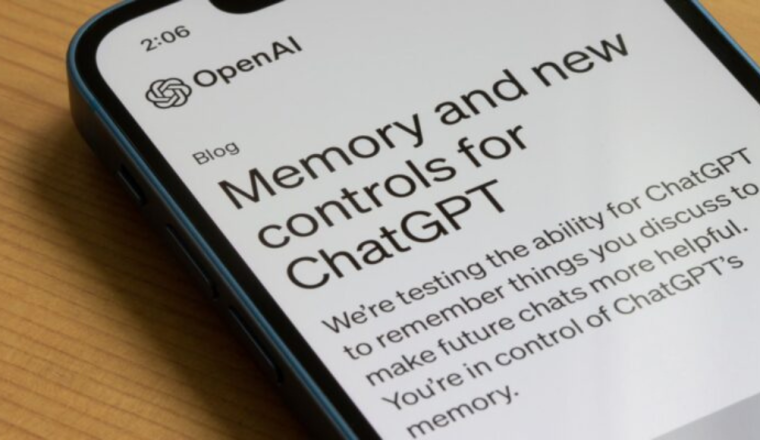
OpenAI continues to evolve its renowned ChatGPT, introducing a slew of new features aimed at enhancing user experience and control. From memory management to temporary chats, here’s a comprehensive guide to making the most of ChatGPT’s Memory Feature latest offerings.

Unlocking ChatGPT’s Memory Feature:

ChatGPT Plus subscribers ($20 per month) can now leverage the expanded persistent memory feature, allowing them to store and recall vital information effortlessly. Learn how to utilize this feature to enhance your interactions with ChatGPT and streamline your workflow.

How to Use ChatGPT’s Memory Feature:

Discover the step-by-step process for storing information using ChatGPT’s memory feature. From inputting details to managing stored memories, we’ll walk you through the process to ensure seamless integration into your ChatGPT experience.

Important Limitations and Workarounds:

While ChatGPT’s memory feature offers enhanced functionality, it’s essential to understand its limitations. Explore the current restrictions and discover potential workarounds to maximize the utility of this feature.

Optimizing Temporary Chats for Temporary Projects:

For temporary projects or sensitive discussions, ChatGPT offers the option of starting a “temporary chat.” Learn how to initiate and manage temporary chats, ensuring privacy and security without compromising on functionality.

Accessing and Managing Chat History:

ChatGPT users now have more control over their chat history, with enhanced accessibility and management options. Explore how to access previous chats, retain chat history, and navigate through archived conversations with ease.

Empowering User Control with Data Controls:

OpenAI prioritizes user control and privacy with enhanced data controls. Discover how to manage data sharing preferences, opt-in or out of model training, and delete chat history to tailor your ChatGPT experience to your preferences.

Conclusion:

With these latest updates, OpenAI continues to empower users with greater control and functionality within ChatGPT. Whether you’re a seasoned user or new to the platform, these features offer enhanced capabilities and customization options for a seamless AI-powered interaction experience. Stay tuned for further advancements as OpenAI remains at the forefront of AI innovation.